

AI Makeup Photo Editor: Try On Makeup Online in Your Browser
Add makeup to a photo online and see a new look on your own face. Facelab's AI makeup editor maps your features first, then applies lipstick to your lips, shadow to your lids, and blush to your cheeks. Presets are spread across eight zones, from lips to foundation. Free to use in your browser; some presets are part of Web Plus.
Drop your photo here
JPG, PNG, WEBP, HEIC · up to 25 MB
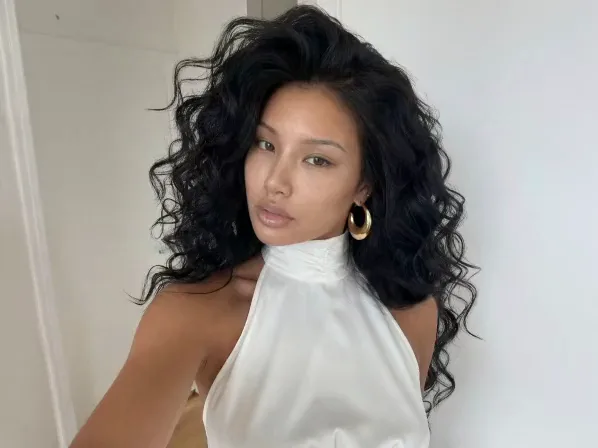
How it works

Step 1
Upload a Selfie
Use a clear, front-facing photo in good light.

Step 2
Choose Where to Start
Pick the zone that defines the look, usually Lips or Eyeshadow.

Step 3
Pick a Preset and Adjust
Tap through the presets in that zone and set its strength with Intensity. Then move to the next zone.

Step 4
Apply and Save
Press Apply look, then download the result or press Open in Studio to keep editing.
Change one zone at a time, so swapping a lip shade leaves your brows exactly as they were.
Explore more Facelab tools
AI Make Up Editor
Apply virtual lipstick, eyeshadow, and blush instantly.
Open Tool →AI Hairstyle
Try any hairstyle and color — from subtle to bold.
Open Tool →Object Remover
Erase unwanted objects from photos with AI precision.
Open Tool →Background Remover
Remove any background in seconds with AI precision.
Open Tool →Watermark Remover
Erase watermarks and logos from any image instantly.
Open Tool →AI Teeth Whitening
Brighten your smile with realistic whitening in one tap.
Open Tool →Eye Color AI Editor
Change eye color naturally — any shade, any photo.
Open Tool →AI Image Upscaler
Enlarge photos up to 4× without losing quality.
Open Tool →Body Editor
Slim, reshape, or adjust body proportions with AI tools.
Open Tool →Skin Retouch
Smooth skin, reduce blemishes, perfect your complexion.
Open Tool →Face Shape Editor
Subtly reshape facial features with natural precision.
Open Tool →Resizing Image
Resize photos to any size without quality loss.
Open Tool →Photo Filters
Give any photo a ready-made color look.
Open Tool →Sky Replacement
Swap a dull sky for a sunset or storm clouds.
Open Tool →Background Blur
Blur the background like a portrait lens, or add bokeh.
Open Tool →Light Effects
Add light leaks, flares and a warm glow.
Open Tool →Photo Textures
Lay film grain, dust or paper over any photo.
Open Tool →Photo Color Correction
Fix exposure, color and tone with 16 dials.
Open Tool →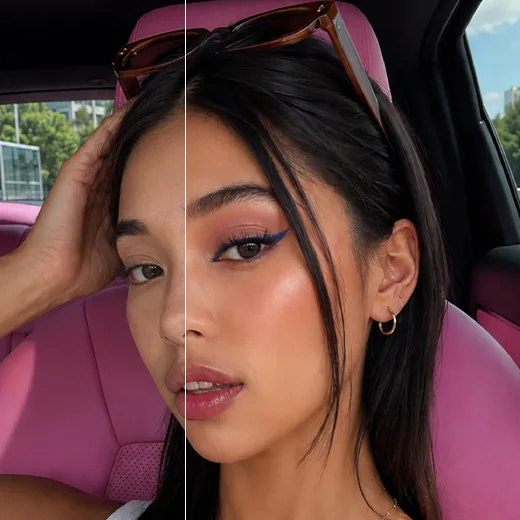
Eight Makeup Zones, Each with Its Own Presets
Real makeup looks come from combinations: a lip shade, a brow, some blush, a lash. Facelab gives each zone its own presets: Lips, Eyebrows, Blush, Eyeshadow, Eyelashes, Contour, Eyeliner, and Foundation. Try a bold lip with bare lids, or keep the mouth neutral and put the drama into shadow and liner. Changing a preset in one zone doesn't touch the others.
Try On Makeup Online Before You Buy
Product pages show a shade on a model under studio light. A virtual makeup try-on puts color on your own face instead. Load a well-lit selfie and cycle through the lip presets closest to the shade you're considering. A warm red and a blue-based red look almost identical on a product page and completely different on your own face.
Plan Your Wedding Makeup Ahead
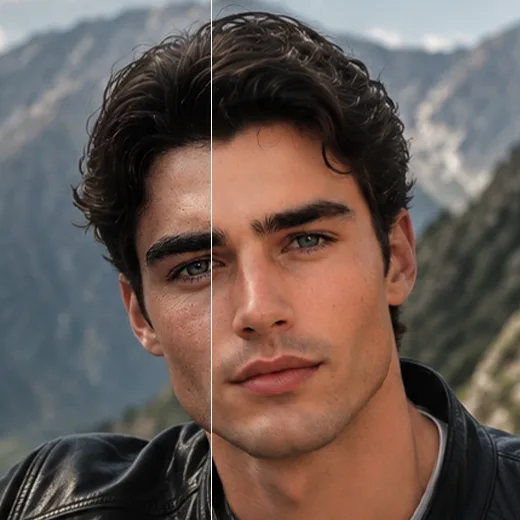
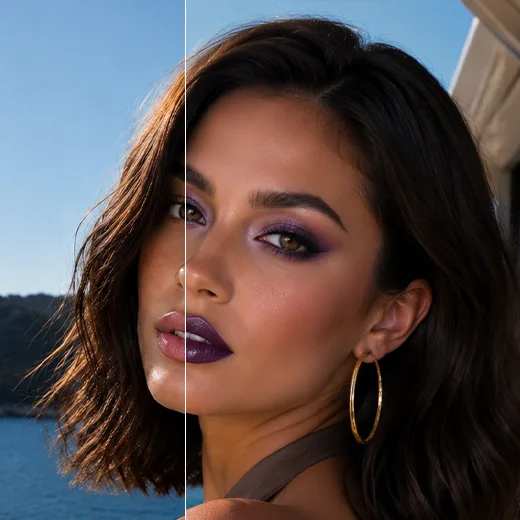
Weddings, graduations, and photoshoots all go smoother when you decide on makeup early. Put the full look together a week ahead and save it. Your makeup artist gets a clear reference, and you skip the vague descriptions on the morning itself. One saved image says "soft smoky eye, nude lip" more clearly than a paragraph of explanation.
Not Just Another Makeup Filter Online
A basic makeup filter tints a patch of the image and hopes it matches your face. Facelab's makeup editor finds your features before it applies anything. Lip color follows the curve of your mouth, liner traces the lash line, and contour sits along the cheekbone. The result looks like makeup you put on, rather than a colored layer floating over the photo.
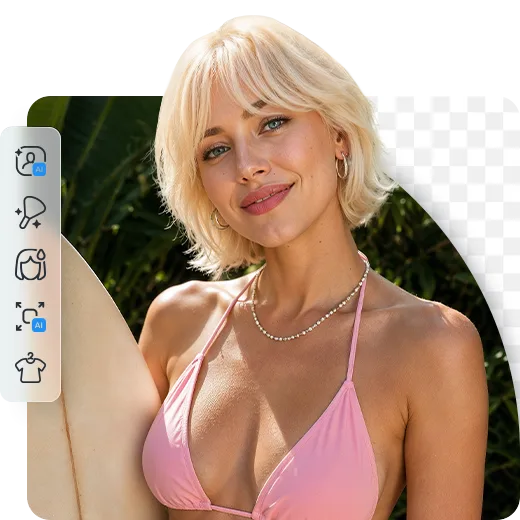
Start Subtle, Then Build Up
Foundation and contour affect the entire face, which makes them the easiest zones to overdo. Heavy foundation wipes out skin texture, and strong contour creates shadows the original light never cast. The best makeup edit is the one nobody spots.
For a clean girl makeup or no makeup makeup look, keep Intensity low on Foundation and Contour, add a sheer lip and soft lashes, and stop there. Save the bold picks for lips and eyes, and add zones one by one until the photo looks like your best day.
AI Makeup Editor: Frequently Asked Questions
How to try on makeup with Facelab, zone by zone.
Is the makeup editor free?
Yes, it is free to use in your browser. Some presets are part of Web Plus.
Can I change just my lipstick?
Yes. Zones change one at a time, so a new lip shade leaves your eyes and brows as they were.
Can I make the makeup lighter?
Yes. Each zone has its own Intensity slider.
Can I touch up a photo I already like?
Yes. By the time the good photo is taken, lipstick has often faded and lashes have disappeared in harsh light. A little lip color or blush puts back what the day wore off. Match what you were actually wearing, and the edit becomes invisible.
Does it choose makeup for my face?
No. You pick the presets, and the editor places them along your features.
What can I do after the makeup?
Press Open in Studio to keep going with the same photo: Skin, Teeth, and Eye Color are there. You can also open Skin Retouch, AI Teeth Whitening, or the Eye Color AI Editor on their own.
Does it work on my phone?
The makeup editor works on a computer. Open the page in a desktop browser.
Try Facelab Now!
Virtual makeup, skin retouching, and AI enhancement — free to try right now.