

Blur Backgrounds with AI: Portrait Mode Bokeh in One Tap
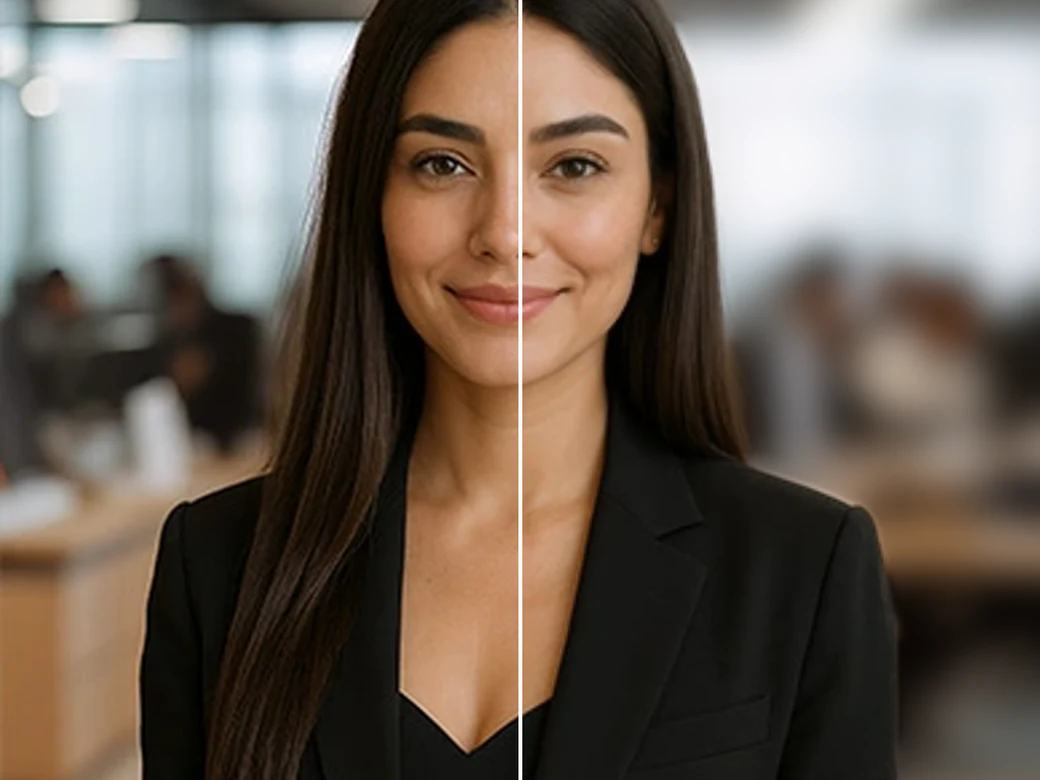
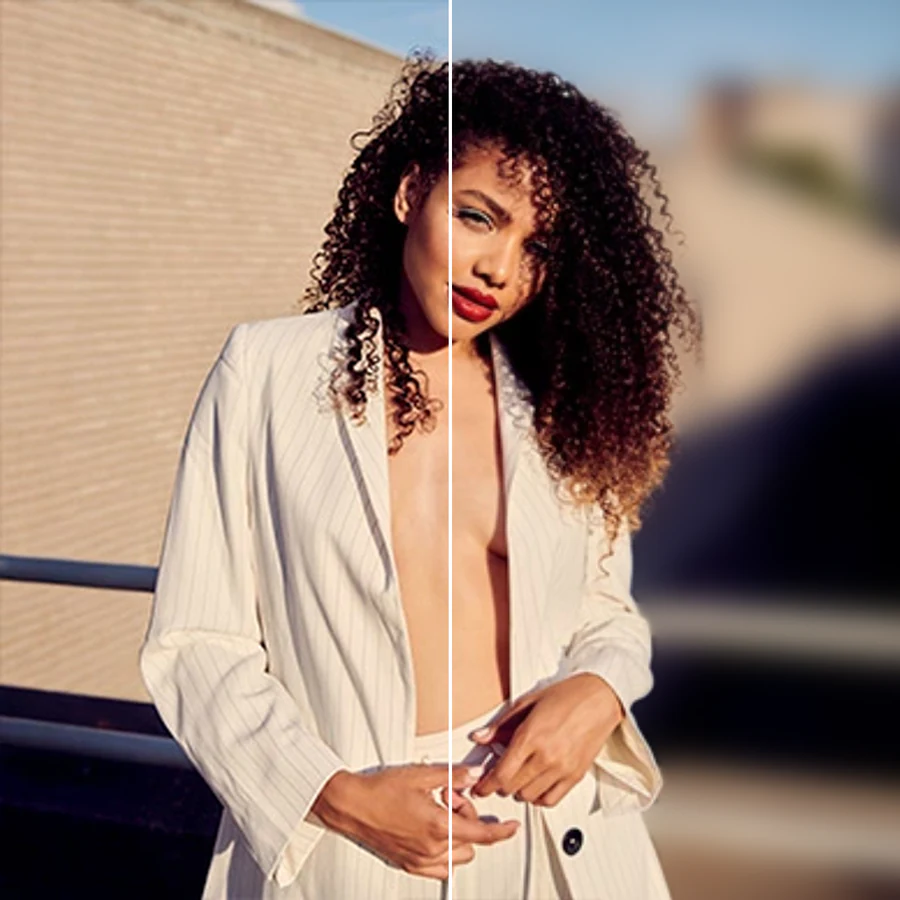
Facelab's AI Background Blur detects the person in your photo and blurs everything behind them for an instant portrait mode effect. Choose classic blur, motion blur, zoom blur, bokeh, or tilt-shift, then add one of 16 bokeh-light overlays for extra sparkle. The AI builds an accurate person mask right in your browser, no green screen and no manual selection needed, so your subject stays sharp while the background melts into soft, professional bokeh.
Drop your photo here
JPG, PNG, WEBP
Explore more Facelab tools
AI Make Up Editor
Apply virtual lipstick, eyeshadow, and blush instantly.
Open Tool →AI Hairstyle
Try any hairstyle and color — from subtle to bold.
Open Tool →Object Remover
Erase unwanted objects from photos with AI precision.
Open Tool →Background Remover
Remove any background in seconds with AI precision.
Open Tool →Watermark Remover
Erase watermarks and logos from any image instantly.
Open Tool →AI Teeth Whitening
Brighten your smile with realistic whitening in one tap.
Open Tool →Eye Color AI Editor
Change eye color naturally — any shade, any photo.
Open Tool →Image Upscaler
Enlarge photos up to 4× without losing quality.
Open Tool →Body Editor
Slim, reshape, or adjust body proportions with AI tools.
Open Tool →Skin Retouch
Smooth skin, reduce blemishes, perfect your complexion.
Open Tool →Face Shape Editor
Subtly reshape facial features with natural precision.
Open Tool →Resizing Image
Resize photos to any size without quality loss.
Open Tool →Instagram AI Photo Editor
Edit photos for Instagram with one tap AI presets.
Open Tool →Sky Replacement
Swap a dull sky for a sunset, clouds or stars.
Open Tool →Background Blur
Blur the background like a portrait lens, or add bokeh.
Open Tool →Light Effects
Add light leaks, flares and a warm glow.
Open Tool →Photo Textures
Lay film grain, dust or paper over any photo.
Open Tool →Photo Color Correction
Fix exposure, color and tone with 17 dials.
Open Tool →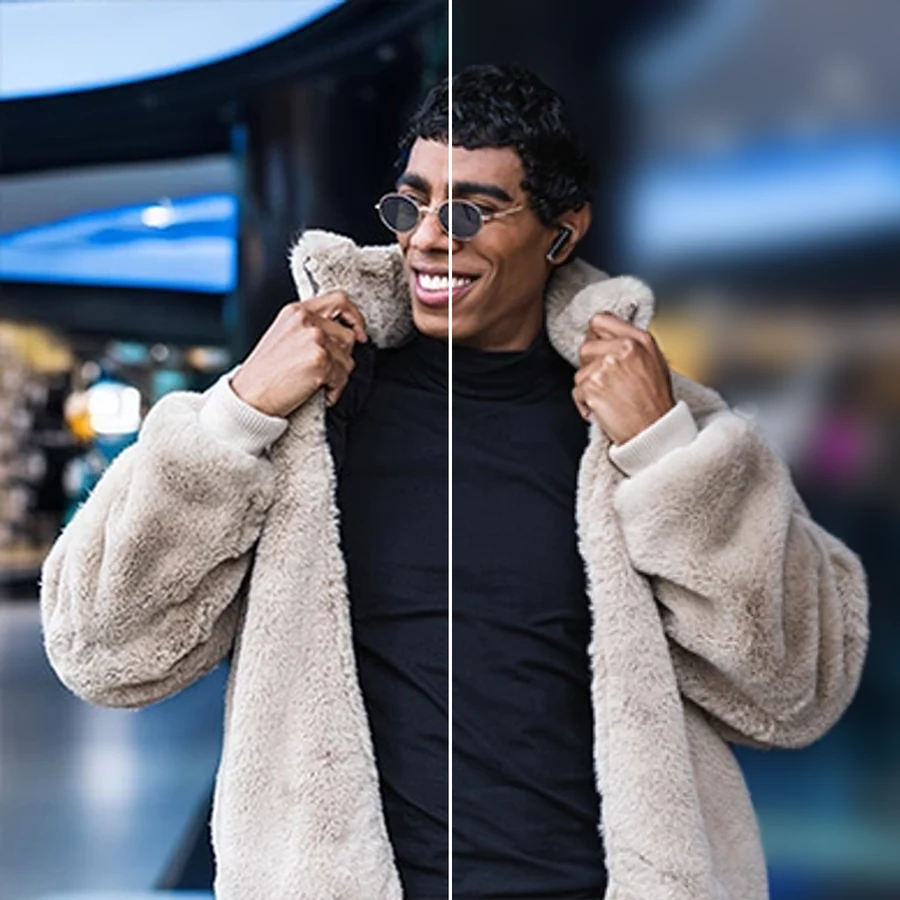
Get the Portrait Mode Effect on Any Photo
Not every phone or camera shoots true portrait mode. Facelab's AI Background Blur adds that soft, professional bokeh after the fact: it finds the person in the frame and blurs the background around them, so a flat, in-focus snapshot instantly reads like it was shot on a fast prime lens.
Add Motion Blur or Zoom Blur for Dynamic Energy
Turn a static photo into something that feels alive. Switch the classic bokeh blur for a directional motion blur or a radial zoom blur, and the background streaks outward from your subject while the person stays perfectly crisp, ideal for sports shots, action portraits, and social posts that need extra punch.
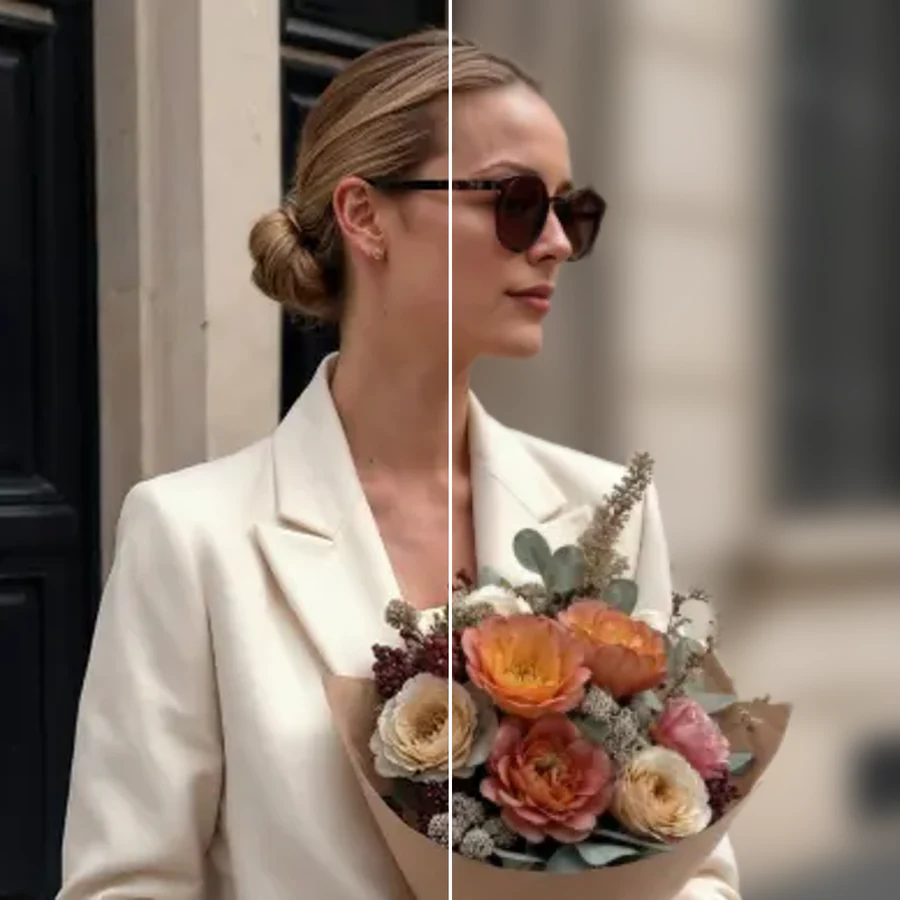
Create a Tilt-Shift Look for Creative Portraits
Tilt-shift blur adds a narrow band of focus around your subject and fades the rest, giving portraits a dreamy, cinematic depth or a playful miniature-model feel. It is a quick way to make an ordinary photo look intentional and styled, without touching a real tilt-shift lens.
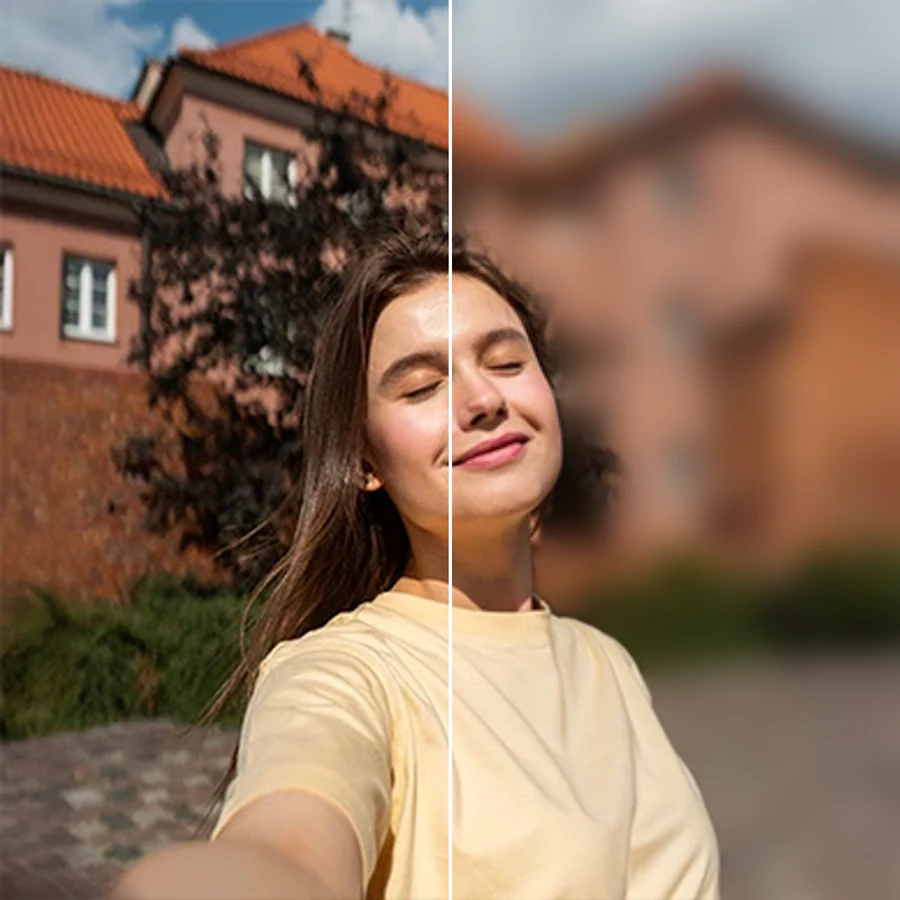
Layer in Bokeh Light Overlays for Extra Sparkle
Choose from 16 bokeh-light overlays, warm string lights, city night lights, snow-like sparkle, and more, to give your blurred background a soft glow. It's a fast way to turn everyday portraits into festive, magazine-style shots for holidays, events, or dating profile photos.
What our users say
“I used to spend 20 minutes editing photos by hand. Now it takes 5 seconds. The results look more polished too.”
“Perfect for my e-commerce store. My listings look so much more professional now, and it's instant.”
“I tried every free tool out there. Facelab handles edge cases, hair, fine details, better than anything else.”
“I shoot products on my kitchen table. Facelab makes them look like a proper studio shot every time.”
“Used to outsource at $5 a photo. Now it's instant and free. The quality is identical, clients can't tell.”
“I edit photos for marketing assets in minutes. It completely changed how fast I can ship creative.”


Do more with the Facelab app
Get 25+ AI-powered editing tools, filters, and creative effects, free on iOS and Android.


Facelab AI Background Blur: Frequently Asked Questions
Learn how to get a natural portrait mode effect and flawless results with Facelab. Read our FAQ to discover how our AI background blur tool detects the person in your photo, applies the blur style you want, and adds bokeh lights, all without complex software.
How does the AI Background Blur create the portrait mode effect?
Facelab's AI scans your photo in the browser and builds an accurate mask around the person, separating them from everything behind. It then applies a soft blur only to the background, keeping your subject's edges, hair, and details sharp, the same look a portrait-mode camera lens gives, without needing special hardware.
What blur styles can I choose from?
You can pick classic blur for a smooth, even bokeh, motion blur for a directional streaking effect, zoom blur for a radial burst around your subject, and tilt-shift for a narrow focus band with a cinematic or miniature look. Each style keeps the person sharp while only the background changes.
What are the 16 bokeh-light overlays?
Alongside the blur styles, Facelab includes 16 bokeh-light overlays, warm string lights, city lights, soft sparkle, and more, that layer glowing highlights into the blurred background. They add a festive or cinematic mood in one tap, without any manual compositing.
Does the background blur work without uploading my photo to a server?
Yes. The person mask is generated by AI directly in your browser, so the detection step runs on your device. This keeps the process fast and means your original photo is not sent off just to figure out where the background starts.
Will the AI blur mess up hair, glasses, or fine edges?
Facelab's masking model is trained to handle tricky edges like flyaway hair, glasses frames, and jewelry. It refines the boundary between the person and the background before applying blur, so you get a clean edge instead of a halo or a hard cutout line.
Can I use background blur for product or pet photos too?
Background Blur is tuned to detect people, but it works well any time you want to draw attention to a clear subject against a busy scene, including portraits with pets or objects held by the subject. For photos with no person in frame, pair it with Facelab's background remover for full control over what stays sharp.
Try Facelab Now!
Virtual makeup, skin retouching, and AI enhancement, free to try right now.
Free to download · No commitment required